WordPress vs Squarespace: Which Platform Is Right for You in 2025?
Let’s face it: in today’s digital age, your website is your handshake, business card, and storefront all rolled into one. Whether you’re a creative professional, small business owner, blogger, or entrepreneur in the United States, the big question isn’t if you should build a website—but how. And that’s where the face-off between WordPress vs Squarespace begins.
Should I use WordPress or Squarespace? That’s one of the most asked questions in the world of web development today. Each platform has its cheerleaders and its critics, and this guide is here to settle the debate once and for all.
I’ll walk you through a friendly yet deep dive into WordPress vs Squarespace, comparing everything from ease of use and customization to pricing, support, SEO, and more. So, grab a cup of coffee and let’s find out is WordPress better than Squarespace or vice versa—for your specific needs.
WordPress vs Squarespace: Quick Overview Table
| Feature | WordPress | Squarespace |
|---|---|---|
| Ease of Use | Moderate learning curve | Very beginner-friendly |
| Customization | Unlimited with coding/plugins | Limited to built-in design tools |
| SEO Capabilities | Advanced with plugins | Basic SEO features |
| Design Templates | Thousands (free & paid) | Award-winning but fewer in number |
| Pricing | $4–$25/month (plus extras) | $16–$49/month (all-in-one) |
| Support | Community-based & plugin dev support | 24/7 email & live chat |
| E-Commerce | WooCommerce with advanced scalability | Great for small to mid-size stores |
| Hosting | Self-hosted (choice of providers) | Included in plan |
Ease of Use: WordPress or Squarespace for Beginners?
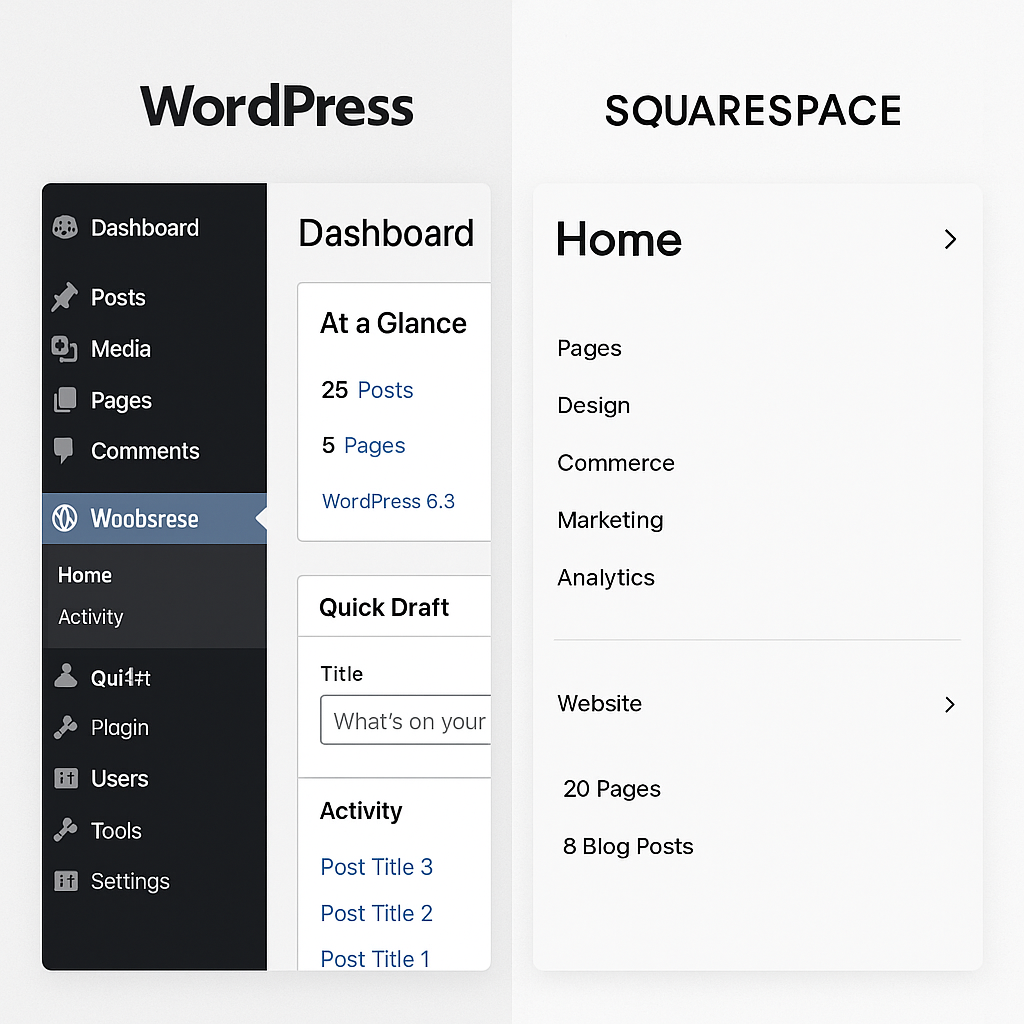
When it comes to building your first site, ease of use plays a huge role. WordPress vs Squarespace offer very different experiences.
- Squarespace is a drag-and-drop platform. It’s incredibly intuitive. You can edit, move, and create content visually—no tech skills needed.
- WordPress, on the other hand, involves a bit of a learning curve. You’ll need to install a theme, add plugins, and learn the backend interface.
If you’re asking, should I use WordPress or Squarespace as a beginner with zero coding knowledge, Squarespace is probably your best bet.
🔗 Explore Squarespace’s beginner tutorials
Customization and Flexibility
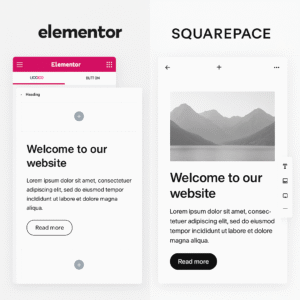
WordPress vs Squarespace customization is where the real gap emerges.
- WordPress is open-source. That means you can modify any part of your site using code or third-party plugins.
- Squarespace is closed-source. While it offers design flexibility, you’re locked into its ecosystem.
So if your plan includes scaling your site, adding custom features, or integrating external tools, the answer to is WordPress better than Squarespace is a resounding yes.
SEO Features: Which Ranks Higher?
From an SEO standpoint, many ask: WordPress v Squarespace—which wins?
- WordPress offers plugins like Yoast SEO, Rank Math, and All in One SEO Pack. These tools allow complete control over on-page SEO, including schema markup, canonical URLs, redirects, and more.
- Squarespace provides built-in SEO options like title tags, descriptions, clean URLs, and mobile responsiveness.
If your goal is to appear on page one of Google in a competitive niche, WordPress provides superior optimization tools.
Pricing Breakdown: WordPress vs Squarespace
Here’s a straightforward pricing comparison between WordPress vs Squarespace:
| Plan Level | WordPress (Self-Hosted) | Squarespace |
|---|---|---|
| Basic Website | ~$4/month + domain | $16/month |
| Business Site | ~$10–$25/month + add-ons | $23/month |
| E-Commerce | $25+/month + WooCommerce | $27–$49/month |
👉 Squarespace offers transparent pricing. Everything—hosting, templates, support—is included.
👉 With WordPress, you control where you spend, but costs can grow with plugins, themes, and premium tools.
Blogging Capabilities
If blogging is central to your strategy, the WordPress vs Squarespace matchup isn’t even close.
- WordPress is a blogging pioneer. You get native features like categories, tags, post formats, scheduling, and integration with any tool imaginable.
- Squarespace supports blogging, but it lacks advanced features like custom post types and detailed content taxonomy.
So when someone asks, is WordPress better than Squarespace for blogging? The answer is yes, particularly if you’re serious about content.
🔗 How to start a blog with WordPress
E-Commerce Comparison: WordPress vs Squarespace
Which platform helps you sell more?
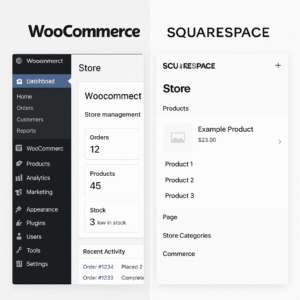
- Squarespace offers solid out-of-the-box e-commerce. You can manage inventory, accept payments, and create stylish product pages.
- WordPress relies on WooCommerce, a powerful plugin that adds full-store functionality. You can scale to thousands of products, use any payment processor, and control every aspect of your store.
If you’re just getting started, Squarespace works well. But for enterprise-level features, WordPress + WooCommerce is unbeatable.
Hosting & Maintenance
Here’s another critical comparison in WordPress vs Squarespace:
- Squarespace: All-in-one solution. Hosting is managed and maintenance is automatic.
- WordPress: You choose your host (like Bluehost or SiteGround) and manage backups, updates, and security yourself—or use a managed host like WP Engine.
More work? Yes. More flexibility and power? Also yes. If you want full control, WordPress is worth the effort.
Support and Community
What if you run into problems?
- Squarespace offers 24/7 support through email and live chat.
- WordPress has an enormous global community. Answers are just a Google search or forum post away. Plugin and theme developers also offer dedicated support.
So when deciding WordPress or Squarespace for support, it depends: do you want immediate help (Squarespace) or community-driven problem solving (WordPress)?
🔗 Browse WordPress community forums
Security: Which Platform Keeps You Safer?
Security matters now more than ever.
- Squarespace handles all security, including SSL, updates, and compliance.
- WordPress requires you (or your host) to manage security. But plugins like Wordfence, iThemes Security, and reliable hosting keep it secure.
Squarespace offers peace of mind for non-tech users, but WordPress gives you total control.
Mobile Optimization
We’re living in a mobile-first world. Here’s how WordPress vs Squarespace perform:
- Squarespace: All templates are mobile responsive by default. No extra work needed.
- WordPress: Depends on your theme. Most modern themes are responsive, but test before launch.
If you’re in a rush and want instant mobile compatibility, Squarespace may feel like a safer choice.
Use Cases: WordPress or Squarespace?
Let’s match the platform to your profile:
| User Type | Best Platform |
|---|---|
| Creative Professional | Squarespace |
| Blogger | WordPress |
| E-Commerce Owner | WordPress (WooCommerce) |
| Small Business | Squarespace |
| Enterprise Website | WordPress |
| Portfolio Website | Squarespace |
Pros and Cons Summary
| Feature | WordPress | Squarespace |
|---|---|---|
| Pros | Unlimited plugins, full control, best SEO | All-in-one, beginner-friendly, great design |
| Cons | Needs maintenance, learning curve | Limited customization, fewer plugins |
Final Verdict: WordPress vs Squarespace
Should I use WordPress or Squarespace? That depends on your goals:
- Choose Squarespace if you want a polished, easy-to-manage site with excellent design.
- Choose WordPress if you want to scale, customize deeply, and have full control over your site’s future.
So is WordPress better than Squarespace? For flexibility and long-term growth, yes. For simplicity and visual appeal out of the box, Squarespace excels.
Ultimately, the WordPress vs Squarespace decision boils down to what matters most: control vs convenience.
🧠 Top 15 FAQs About WordPress vs Squarespace (SEO-Optimized)
1. Which is better for a beginner: WordPress or Squarespace?
If you’re just getting started and wondering should I use WordPress or Squarespace, the answer largely depends on your comfort with technology.
-
Squarespace is incredibly beginner-friendly. Its drag-and-drop editor, sleek templates, and all-in-one platform make it easy to create a stunning website quickly. No coding is required, and hosting, domains, and design tools are built in.
-
WordPress, particularly WordPress.org, has a steeper learning curve. While it’s incredibly powerful and customizable, beginners often find the setup—hosting, themes, plugins—overwhelming at first.
👉 For most U.S.-based first-time website builders, Squarespace wins in ease of use. But if you’re willing to learn or hire help, WordPress pays off long-term.
2. Is WordPress better than Squarespace for SEO?
One of the most critical questions we hear is is WordPress better than Squarespace for SEO? And the short answer is: yes, especially if SEO is your top priority.
-
WordPress allows full control over meta tags, URL slugs, image alt text, and more through plugins like Yoast SEO or Rank Math.
-
Squarespace has decent built-in SEO tools but lacks advanced functionality and plugin flexibility. You can’t fully customize things like sitemaps or implement schema markup easily.
If your goal is to rank on Google, especially in competitive U.S. markets, WordPress offers the advantage.
🔗 Learn about Yoast SEO features
3. Can I switch from Squarespace to WordPress later?
Yes, and this is a common concern in the wordpress v squarespace debate. Many users start on Squarespace for simplicity, then move to WordPress for more control.
-
Squarespace allows basic export of blog content and some images, but not full design layouts.
-
Migrating to WordPress may require a manual redesign, especially for custom pages or e-commerce stores.
It’s possible—and often beneficial—but be prepared to rebuild parts of your site if you transition later.
4. Which platform is more customizable: WordPress vs Squarespace?
If customization is your priority, there’s no competition—WordPress dominates this space.
-
WordPress gives you access to your site’s HTML, CSS, PHP, and database. You can build anything from scratch or use page builders like Elementor.
-
Squarespace is more like a design sandbox. While flexible, you’re limited to its templates and style editor.
So if you’re wondering should I use WordPress or Squarespace for a site that needs advanced features, integrations, or unique layouts, WordPress is the clear choice.
5. How do pricing plans compare between WordPress and Squarespace?
Cost is a major factor for most users comparing wordpress vs squarespace.
-
Squarespace charges $16 to $49/month depending on the plan. This includes hosting, templates, and customer support.
-
WordPress.org is technically free but requires hosting (
$4–$25/month), a domain ($10/year), themes (free or ~$60), and plugins (some paid).
👉 Squarespace offers predictable pricing. WordPress offers more control over your budget—but expect to pay more as you scale.
🔗 Compare Squarespace pricing plans
6. Which is better for blogging: WordPress or Squarespace?
Hands down, WordPress wins when it comes to blogging. It’s literally built for it.
-
WordPress gives you categories, tags, RSS feeds, post scheduling, custom post types, and advanced comment systems.
-
Squarespace supports blogging, but lacks features like multiple authors, plugin integration, and custom taxonomies.
If content is central to your business or brand, you already have your answer: WordPress is better than Squarespace for blogging.
7. Is Squarespace good for SEO?
While Squarespace isn’t as robust as WordPress in terms of SEO, it’s good enough for basic needs.
-
Squarespace offers clean code, mobile-responsive templates, and editable meta descriptions.
-
It also supports basic integrations with Google Search Console and social sharing.
If your website is local or niche, Squarespace can still perform well in search rankings. But if you want deep SEO customization, you’ll eventually feel the limits.
8. Can I build an e-commerce store with WordPress or Squarespace?
Yes, both platforms offer powerful e-commerce options, but in different ways.
-
Squarespace has built-in e-commerce tools for inventory, taxes, shipping, and payment processing. It’s excellent for small to medium stores.
-
WordPress uses WooCommerce, which is open-source and endlessly customizable. It supports subscriptions, memberships, complex shipping rules, and hundreds of payment gateways.
👉 If you’re building a U.S.-based store that you plan to scale, WordPress with WooCommerce is the better investment.
🔗 Explore WooCommerce features
9. Which is more secure: WordPress or Squarespace?
Security is important—and Squarespace wins in ease.
-
Squarespace manages all updates, patches, and SSL certificates for you.
-
WordPress security depends on your host, your plugins, and how often you update your software.
While WordPress can be extremely secure (with plugins like Wordfence or Sucuri), it requires proactive management. If you want hands-off security, Squarespace is a safer default.
10. Do I need coding skills to use WordPress or Squarespace?
-
With Squarespace, you can build an entire site without a single line of code.
-
WordPress can also be no-code—especially with tools like Elementor or Gutenberg—but knowing some HTML or CSS helps unlock its full potential.
If you’re a DIY user who wants no fuss, Squarespace wins. If you’re willing to learn or hire help, WordPress gives unmatched freedom.
11. Which has better templates: WordPress vs Squarespace?
This is a close call in the wordpress vs squarespace battle.
-
Squarespace templates are beautifully designed, mobile-friendly, and perfect for portfolios and creative brands.
-
WordPress offers thousands of free and premium themes across all niches. Some may require tweaking, but design flexibility is far greater.
👉 Choose Squarespace for design polish. Choose WordPress for design variety and control.
12. Can I use my own domain with both platforms?
Yes!
-
Both WordPress and Squarespace allow you to use a custom domain.
-
Squarespace even gives you a free domain for one year if you buy an annual plan.
-
WordPress users can buy domains from providers like GoDaddy, Namecheap, or Google Domains and link them easily.
Using a custom domain boosts your site’s credibility and branding, so it’s a smart move either way.
13. Is WordPress or Squarespace better for mobile websites?
-
Squarespace templates are fully responsive out of the box. Your site will look great on any screen without extra work.
-
WordPress depends on your theme. Many are responsive, but you’ll want to test layouts and possibly adjust CSS.
In terms of consistency and simplicity, Squarespace edges ahead here—especially for users who want a mobile-optimized site without extra steps.
14. How does customer support compare between WordPress and Squarespace?
-
Squarespace offers 24/7 support via email and live chat, along with a rich help center.
-
WordPress relies on community support, forums, and plugin/theme developers. Some paid plugins offer premium support.
If fast, direct customer service is important to you, Squarespace is the better option. But WordPress has a massive ecosystem of support content available for free.
🔗 Visit the WordPress support forums
15. Which platform is better long-term: WordPress or Squarespace?
Here’s the big one: wordpress vs squarespace—what’s better for the future?
-
Squarespace is excellent if you want an easy, beautiful website with minimal maintenance. It’s best for small businesses, creatives, and solopreneurs.
-
WordPress is best if you want to grow, customize, and scale without limits. It’s ideal for agencies, content creators, larger businesses, and long-term brand building.
So is WordPress better than Squarespace long-term? For flexibility and growth, yes. For ease and speed, Squarespace may be enough.
Call to Action
Still deciding between WordPress vs Squarespace? Drop your questions in the comments or explore our guide to free WordPress hosting or Squarespace e-commerce tips.
Your ideal website builder is out there—go build something beautiful.
Let me know if you’d like a plain summary table or FAQ section next!