How to Build a Personal Website in 2025: A Complete U.S. Guide for Beginners
In an era where your online identity matters as much as your real-life presence, knowing how to build a personal website is one of the most empowering skills you can have. Whether you’re a freelancer, a job seeker, an artist, a writer, or just someone who wants to share their story, creating your own space on the web gives you control over your personal brand.
But how do you go from zero to your own digital corner of the internet? That’s exactly what we’ll cover in this comprehensive guide. I’ll walk you through everything—from choosing a domain to hitting “publish.” By the end, you’ll not only know how to build a personal website, but you’ll also understand how to make it look good, rank on search engines, and reflect the best version of you.
| Platform | Difficulty Level | Price Range | Hosting Included | Custom Domain | Best For |
|---|---|---|---|---|---|
| Wix | Easy | Free – $39/mo | ✅ Yes | ✅ Available | Beginners, portfolios, personal blogs |
| Squarespace | Easy | $16 – $49/mo | ✅ Yes | ✅ Available | Designers, photographers, resumes |
| Webflow | Intermediate | Free – $45+/mo | ✅ Yes | ✅ Available | Design control, animation, devs |
| WordPress.org | Moderate | ~$5–$15/mo hosting | ❌ No (choose host) | ✅ Available | Blogs, freelancers, full customization |
| Ghost | Intermediate | Free – $25+/mo | ❌ No (self-host) | ✅ Available | Minimalist blogs, writing portfolios |
| Weebly | Easy | Free – $26/mo | ✅ Yes | ✅ Available | Small businesses, educators |
| Zyro | Easy | $2.59 – $14.99/mo | ✅ Yes | ✅ Available | Simple sites, landing pages |
| Carrd | Easy | Free – $19/yr | ✅ Yes | ✅ Available | Single-page resumes, link pages |
| Google Sites | Very Easy | Free | ✅ Yes (Google) | ❌ No | Internal resumes, student profiles |
Why Should You Build a Personal Website?
Let’s be honest—social media profiles can only do so much. They’re great for visibility, but they don’t give you ownership. When you build a personal website, you create a space that’s 100% yours. Here are a few key reasons why you need one:
- Professionalism: A personal website shows you’re serious about your work or portfolio.
- Control: You decide what people see, read, and engage with.
- SEO Benefits: With proper optimization, your site can appear in Google results for your name or profession.
- Creative Freedom: Design, layout, and tone are entirely up to you.
- Longevity: Unlike social media platforms that come and go, your website is forever.
Still wondering how to start your own private website? Let’s dig into the steps.
Step 1: Define Your Purpose and Goals
Before you even open a web browser, take a moment to ask yourself:
- What do I want people to know about me?
- Am I building this for professional or personal reasons?
- Do I want a blog, portfolio, resume hub, or something else?
Whether you’re starting a personal website for a job search or to showcase your photography, the clarity you gain now will guide every step that follows.
Examples of Personal Website Goals
| Purpose | Content Type | Recommended Features |
|---|---|---|
| Portfolio | Projects, galleries | Image carousel, about me, contact form |
| Resume | Experience, skills | One-pager, downloadable resume |
| Blog | Articles, thoughts | Blog feed, comment section |
| Business Card | Summary, contact info | Minimalist layout, CTA button |
Step 2: Choose a Platform to Build Your Personal Website
When it comes to how to make personal website, you have several excellent choices. Here’s a breakdown:
Website Builders (No Coding Required)
- Wix – Drag-and-drop interface with many templates.
- Squarespace – Sleek, professional layouts great for creatives.
- Weebly – User-friendly with eCommerce options.
- Webflow – Visual editor that allows customization with code.
Content Management Systems (Some Technical Know-How Needed)
- WordPress.org – Most popular; flexible and scalable.
- Ghost – Minimal and clean, great for bloggers.
These tools are great for creating a personal website without needing a degree in computer science.
Step 3: Pick a Domain Name and Hosting Plan
Your domain name is your address on the internet. Choose something simple, memorable, and preferably yourname.com.
Tips for Choosing a Great Domain:
- Use your real name if possible
- Avoid numbers or dashes
- Keep it short
- Use a .com TLD if available
Once you’ve got your domain, you’ll need hosting. Most platforms bundle domain + hosting, especially for U.S.-based users. Providers like Bluehost, GoDaddy, and SiteGround are solid choices.
Step 4: Choose a Template and Customize It
Most website builders and CMS platforms offer themes or templates that give your site its basic look. Here’s how to optimize it:
- Colors: Choose a palette that matches your personality or brand.
- Fonts: Pick clean, readable typefaces.
- Images: Use high-resolution headshots, work samples, or illustrations.
- Layout: Maintain simplicity and clear navigation.
Remember, your goal is to build a personal website that feels authentic to you while remaining functional.
🖼️ Insert image of a modern, minimalist personal portfolio homepage here
Step 5: Add Your Content
Now comes the heart of the process: adding your story, work, and personality to the page.
Must-Have Pages When Making a Personal Website:
- Home Page – A brief introduction and value proposition
- About Page – Your background, experience, and story
- Portfolio/Projects – Showcase your best work
- Resume – Include downloadable PDF and LinkedIn link
- Blog (Optional) – Share insights, lessons, or creative writing
- Contact Page – Include a form, email, and/or social links
When you make a personal website, content quality is king. Write in a clear, friendly tone. Use bullet points and headings. And don’t forget to optimize for SEO.
Step 6: SEO and Performance Optimization
If your goal is to rank on Google, this section is crucial.
On-Page SEO Checklist:
- Include the phrase build a personal website in page titles, H1s, and meta descriptions
- Use alt text for all images
- Add internal links between pages
- Keep URLs short and keyword-rich
Speed & Performance Tips:
- Compress images
- Use lightweight themes
- Install caching plugins
🏆 External Resource: Google PageSpeed Insights
Step 7: Test and Launch
Before you hit “publish,” take time to:
- Preview on mobile and desktop
- Test links and contact forms
- Check load times
- Proofread content
Once you’ve launched, share it on LinkedIn, social media, your resume, and email signature.
📢 Pro Tip: Add Google Analytics to track your traffic from Day 1.
Step 8: Maintain and Update Your Site
The job isn’t over once you create a personal web page. Maintenance keeps it fresh and relevant.
- Update your resume and project list regularly
- Add new blog posts monthly if blogging
- Refresh design every 12-18 months
When you’re consistently making a personal website better over time, it evolves with your career.
Common Mistakes to Avoid
- Overloading the homepage with text
- Using poor quality images
- Ignoring mobile responsiveness
- Not adding CTAs (Call to Actions)
- Forgetting to optimize for search
Avoiding these errors will help you build a personal website that’s engaging and effective.
Tools to Help You Create a Personal Website
| Tool | Use Case | Price |
|---|---|---|
| Canva | Image creation, banners | Free/Paid |
| Grammarly | Content proofreading | Free/Paid |
| Unsplash | Royalty-free images | Free |
| Google Fonts | Font selection | Free |
| Namecheap | Domain purchase | Paid |
📌 Bookmark this free tool guide for personal websites
🧠 Top 15 Frequently Asked Questions About How to Build a Personal Website
1. Why should I build a personal website in 2025?
In today’s digital-first world, knowing how to build a personal website is more important than ever. Whether you’re a freelancer, student, or job seeker, a personal website gives you a powerful platform to showcase your work, tell your story, and stand out online. Social media platforms are great for networking, but they don’t offer full control. When you create your own personal site, you control your message, your layout, and your branding. Plus, it shows initiative, creativity, and professionalism—traits that employers and clients value deeply.
2. What’s the difference between starting a personal website and using social media?
When you’re starting a personal website, you’re creating a permanent, customizable platform that belongs to you. Social media platforms like LinkedIn or Instagram can be part of your online presence, but they don’t offer ownership, full design flexibility, or long-term stability. Social platforms change algorithms, can shut down accounts without notice, and are designed for scrolling, not storytelling. A personal website, however, acts as your digital resume, portfolio, and blog all in one. It puts your story front and center in a distraction-free zone.
3. What is the easiest way to make a personal website without any coding experience?
Thanks to no-code tools, it’s never been easier to make a personal website with zero technical knowledge. Platforms like Wix, Squarespace, and Weebly offer drag-and-drop builders that let you design beautiful websites without touching a single line of code. These platforms provide templates, design elements, hosting, and domain support—all in one. They’re perfect if you’re just learning how to start your own private website and don’t want to get bogged down with code or hosting complexities.
4. How do I choose the right platform to build a personal website?
Choosing the right platform to build a personal website depends on your goals, design preferences, and technical comfort. If you’re looking for fast setup with minimal effort, try Wix or Squarespace. Want more control and scalability? WordPress.org is ideal, especially if you’re familiar with plugins and hosting. If you’re a designer or developer, consider Webflow for its visual canvas plus code export capabilities. When creating a personal website, your platform should align with your brand, audience, and update frequency.
5. How much does it cost to build a personal website?
The cost to build a personal website can range from $0 to $200/year or more, depending on the platform and features. Here’s a breakdown:
-
Domain Name: $10–$20/year
-
Hosting: Free to $15/month (e.g., Bluehost, SiteGround)
-
Website Builder Subscription: $0–$50/month
-
Templates or Themes: Free or $20–$100 (one-time fee)
If you’re just learning how to make a personal site, start with free plans. As you grow, upgrade to unlock more features like custom domains and better SEO tools.
6. What should I include on my personal website homepage?
Your homepage should clearly communicate who you are and what you do. Think of it like your digital handshake. A well-optimized homepage when you build a personal website should include:
-
A compelling headline and subhead
-
A brief bio or mission statement
-
High-quality image or headshot
-
Call-to-action (e.g., “View My Portfolio” or “Hire Me”)
-
Navigation to your About, Projects, and Contact pages
Whether you’re making a personal website for freelance work, a job search, or blogging, the homepage should hook visitors and guide them deeper into your site.
7. How do I optimize my personal website for search engines (SEO)?
SEO is key to getting found online. To optimize as you build a personal website, follow these tips:
-
Use your main keyword “build a personal website” in page titles, headers, and content
-
Use SEO-friendly URLs (e.g., yoursite.com/about)
-
Add alt text to all images
-
Include internal links between your pages
-
Get backlinks by sharing your site in directories, forums, or LinkedIn
Most website builders also offer SEO settings for titles, meta descriptions, and schema—use them!
8. How do I create a personal web page that’s mobile-friendly?
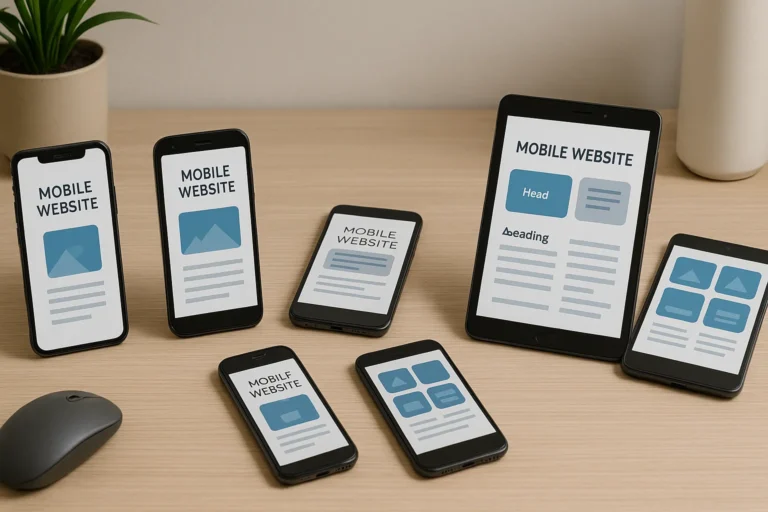
Over 60% of website traffic in the U.S. now comes from mobile devices, so creating a personal website that’s mobile-friendly is critical. Choose a responsive template, check how it looks on smartphones and tablets, and avoid small fonts or cluttered layouts. Platforms like Wix, Squarespace, and Webflow offer responsive design by default. Preview your design across devices before publishing. A mobile-optimized site improves user experience, search rankings, and engagement.
9. What content should I add when making a personal website?
Every personal website should have at least these five core pages:
-
Home – Quick overview of who you are
-
About Me – Your story, background, and achievements
-
Portfolio – Projects, case studies, work samples
-
Resume/CV – Work history, skills, certifications
-
Contact – Email, form, or links to social media
If you’re creating a personal website as a creative or entrepreneur, consider adding a blog or testimonials. If you’re building it as a digital resume, focus on achievements, certifications, and quantifiable results.
10. How often should I update my personal website?
It’s a good practice to refresh your personal site every 3 to 6 months. Update your resume, add recent work, and keep your bio relevant. If you blog, try publishing monthly. When you make personal website maintenance a regular habit, you ensure it reflects your latest skills, interests, and goals—especially important when job hunting or networking.
11. How do I create a custom email address for my personal site?
A custom email like you@yourname.com makes you look more professional. Once you’ve registered a domain to build a personal website, many hosts offer email setup. For example, Bluehost and SiteGround include free email accounts. Alternatively, use Google Workspace for $6/month to create a Gmail-powered professional email.
12. What are some design tips for making a personal website look professional?
Here are some quick design tips when making a personal website:
-
Use 2–3 complementary colors
-
Choose modern, clean fonts (Google Fonts is great)
-
Keep plenty of white space
-
Use high-res images and consistent styles
-
Avoid clutter—simplicity wins
Consistency in spacing, buttons, and colors creates a polished appearance that builds trust and reflects your personal brand.
13. What’s the best domain name strategy for a personal website?
For personal branding, the best domain is usually yourfullname.com. If it’s taken, consider:
-
Adding your middle name or initial
-
Using
.net,.co, or.me -
Appending a keyword like “portfolio” or “designer” (e.g., janedoeportfolio.com)
When you’re starting a personal website, having a recognizable and easy-to-remember domain is just as important as great design.
14. Can I make a personal website for free?
Yes! You can build a personal website for free using tools like:
-
Wix (Free Plan)
-
WordPress.com
-
Carrd
-
Google Sites
-
Webflow (Starter Plan)
However, free plans often include platform branding (e.g., yoursite.wixsite.com/username) and limited features. For a professional impression, consider upgrading to a paid plan that allows a custom domain and removes ads.
15. What’s the best way to promote my personal website after launch?
Once you create personal page, it’s time to promote it! Here’s how:
-
Share it on your LinkedIn, Twitter, Instagram, or Threads bio
-
Add it to your email signature
-
Include the link on your resume and business cards
-
Submit to relevant directories (e.g., Behance, Dribbble, Medium)
-
Ask peers to link back to you
You worked hard to make a personal website—don’t let it sit in the dark. Share it loud and proud!
Final Thoughts: It’s Time to Build a Personal Website That Works for You
There’s never been a better time to build a personal website. Whether you’re just entering the job market, pivoting careers, or finally showcasing your art, a personal website empowers you to take control of your narrative.
It doesn’t need to be perfect right away. The most important thing is to start. Then improve. Then share.
Here’s Your Next Step:
- Choose a platform
- Buy a domain
- Start building today
And when you’re done, send it to a friend and say: “Look what I made.”